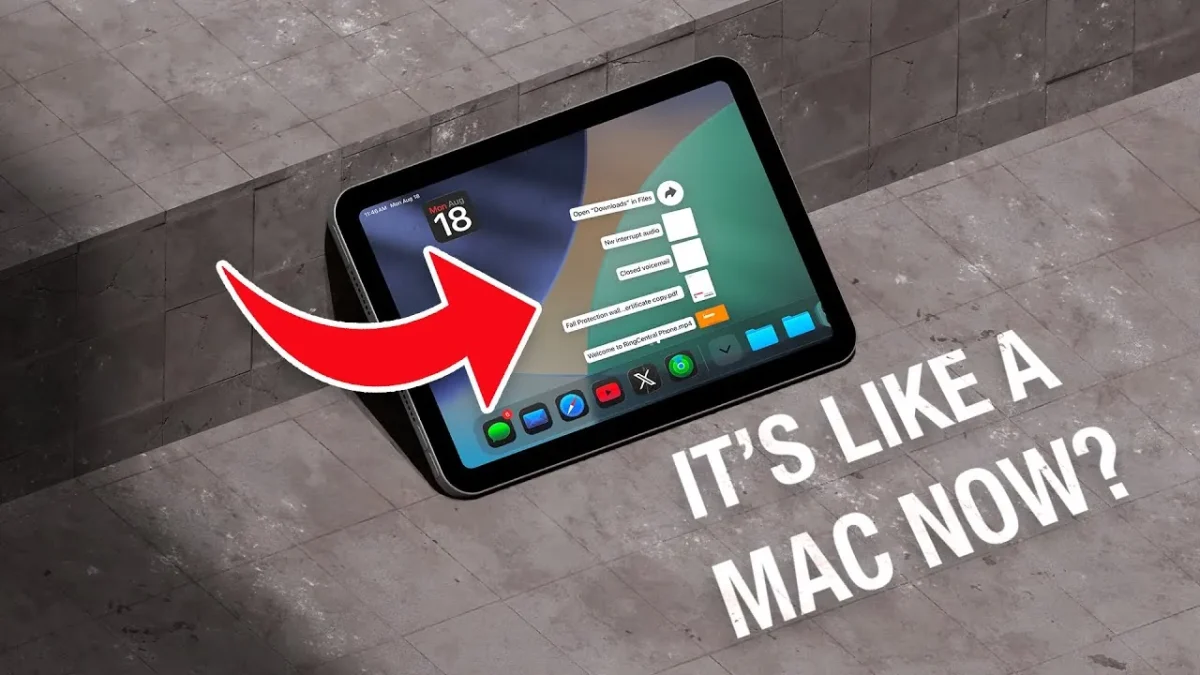
iPadOS Game-Changer 26 continues the company’s mission to bridge the gap between iPads and macOS devices, introducing a range of new features and design updates. These changes aim to enhance functionality and modernize the user experience. However, their implementation on smaller devices like the iPad Mini has sparked debate. The video below from iDB provides more insights into the key updates, their potential benefits, and the challenges they present, particularly for iPad Mini users.
iPadOS Game-Changer Design Overhaul: Balancing Aesthetics and Usability
One of the most noticeable updates in iPadOS 26 is the introduction of the “Liquid Glass” design. This visually striking interface features a shimmering, glass-like aesthetic that extends across redesigned icons, widgets, and a revamped control center. The keyboard and Spotlight Search also adopt this sleek visual style, creating a cohesive and modernized appearance.
While the design is undeniably appealing, its practicality on the iPad Mini’s compact screen is less convincing. The smaller display can make the interface feel crowded, reducing usability and detracting from the overall experience. For users of larger iPads, the design overhaul may feel like a significant upgrade, but for iPad Mini users, the limited screen real estate diminishes its impact. This raises questions about whether aesthetic improvements should take precedence over functional usability on smaller devices.
Feature Enhancements: Productivity Meets Practical Challenges
iPadOS 26 introduces several new features aimed at improving productivity and convenience. These updates are designed to make the iPad more versatile, but their effectiveness on the iPad Mini is influenced by the device’s size constraints. Key features include:
- Preview App: A built-in PDF viewer and editor that eliminates the need for third-party apps. With tools for markup, document scanning, autofill, and file trimming, this feature is particularly useful for users who frequently handle documents.
- Background Activities: This feature allows tasks such as file downloads or video exports to continue running while multitasking. It’s a significant improvement for users managing multiple workflows simultaneously.
- Phone Call Integration: The ability to make phone calls using an iPhone’s SIM card directly from the iPad adds convenience. However, this feature may have limited appeal for users who primarily use their iPads for productivity or entertainment rather than communication.
While these features enhance the iPad’s functionality, their utility on the iPad Mini is somewhat constrained. The smaller screen can make multitasking and navigation less intuitive, reducing the overall effectiveness of these updates.
Files App: Enhanced Organization with Limitations
The Files app receives a significant upgrade in iPadOS 26, bringing it closer to the capabilities of macOS. These improvements aim to streamline file management and enhance customization options. Notable updates include:
- Adding folders to the dock for quicker access.
- Customizing folders with tags, emojis, and color coding to improve organization.
- Introducing new viewing and sorting options, such as list and column views.
- Implementing an “Open With” feature to select default apps for specific file types.
These enhancements make file management more efficient and user-friendly. However, the iPad Mini’s smaller screen can make navigating these features feel less seamless compared to larger iPads. For users accustomed to macOS, the updates may feel like a step forward, but the limited display size of the Mini introduces challenges that hinder the full potential of these improvements.
Multitasking and Windowing: Ambitious but Constrained
iPadOS 26 introduces windowed apps, allowing users to resize and multitask in a manner reminiscent of macOS. A new three-dot menu provides options to close, minimize, or expand apps to full screen, further enhancing multitasking capabilities. These updates aim to make the iPad a more versatile tool for productivity.
However, the iPad Mini’s compact screen poses significant challenges for these features. The windowing system, while innovative, feels cramped and less practical on the Mini. Additionally, the removal of the “Slide Over” feature—a favorite among users for its quick access to secondary apps—has been met with widespread criticism. This change disrupts established workflows and reduces multitasking efficiency, particularly for users who relied on Slide Over for seamless task management.
iPadOS Game-Changer Menu Bar: Potential Undermined by Inconsistencies
Borrowing from macOS, iPadOS 26 introduces a menu bar within apps, offering options for file management and settings. This feature has the potential to streamline workflows and provide a more desktop-like experience. However, its inconsistent implementation limits its usefulness. Many apps do not fully support the menu bar, resulting in a fragmented experience that falls short of expectations. For iPad Mini users, the smaller screen further complicates the menu bar’s functionality, making it less intuitive and harder to navigate.
iPadOS Game-Changer Challenges and Considerations for iPad Mini Users
While iPadOS 26 brings several noteworthy improvements, it also introduces challenges that are particularly pronounced on the iPad Mini. Key issues include:
- The removal of “Slide Over,” which many users relied on for efficient multitasking.
- Windowing and scaling features that feel cumbersome on the iPad Mini’s smaller screen.
- The menu bar’s inconsistent functionality undermines its intended purpose.
These challenges highlight the difficulties of adapting macOS-inspired features to smaller devices. While the updates are ambitious, they often clash with the iPad Mini’s size constraints, resulting in a less cohesive user experience.
Final Thoughts: Progress with Limitations
iPadOS 26 represents Apple’s ongoing effort to align iPadOS with macOS, offering new features and a refreshed design. These updates deliver meaningful improvements for users of larger iPads, enhancing productivity, customization, and multitasking capabilities. However, for iPad Mini users, the smaller screen limits the effectiveness of many features, making the update feel more like a compromise than a true enhancement.
While iPadOS 26 introduces promising changes, its implementation on the iPad Mini underscores the challenges of balancing innovation with practicality. For users of larger iPads, the update is a welcome step forward. For iPad Mini users, however, the experience remains mixed, with both benefits and limitations shaping the overall impact of this latest iteration.
Also Like This Software !!!! Download Link